

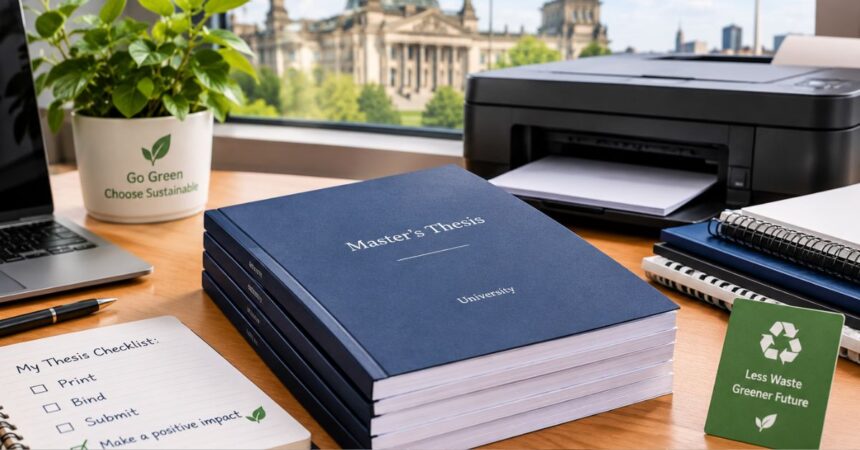
After months of research, writing, and rewriting, the last thing you want is a printing mishap. Yet this final stage trips up plenty of students in Germany a margin that swallows half a line, a deadline that arrives before the parcel does, or a nagging worry about using a whole ream of paper on a document that may sit on a shelf for years.
This guide covers what to check before you print, how to choose a binding and paper, and how to keep the process greener without compromising on quality.
Why a Printed Copy Still Matters
Many universities now accept digital submissions, but plenty of departments still want one or more bound copies. Examiners often prefer to make notes on paper, and some faculties keep a physical archive. There is a personal side too. A thesis is something you may show to future employers, supervisors, or doctoral programs, and a clean print suggests you cared about the details.
Start With Your University’s Rules
Before you pick a printer or a binding, read your examination regulations (Prüfungsordnung) and any faculty guidelines. They differ widely, sometimes even between chairs within the same department. Confirm how many copies you need, whether a particular binding is mandatory (some departments insist on Klebebindung or hardcover, while others accept spiral binding for a first submission), and whether printing should be single- or double-sided. DIN A4 on 80 g/m² paper is the usual standard. Also check whether the Eidesstattliche Erklärung needs an original signature in every copy. Write the answers down; skipping this step is the most common reason students end up reprinting.
Choosing a Printing Service That Fits a Student Timeline
Thesis deadlines rarely bend, so a printer who needs a week is a risk. What you want is clear pricing, quick turnaround, and an upload process that does not require a visit to a copy shop. Online providers have made this much easier: you upload a PDF, choose your binding, and the finished copies arrive by post. One example is TesiLab, Masterarbeit drucken, a German service built around fast, eco-friendly printing and binding of academic theses, which suits students who want a quick turnaround and a more sustainable approach to their final documents.
Whichever provider you consider, a few practical points are worth comparing.
Timing. Check both production and shipping time, then count backwards from your submission date. Leave a buffer of two or three working days for surprises, such as a formatting error you only notice in the preview.
Pricing. Look for per-copy prices based on page count, binding, and paper. Watch for extra charges on colour pages, which add up quickly if your thesis has many charts.
File handling. A good service accepts standard PDFs and tells you what it expects for margins and fonts. If you wrote the thesis in Word, export the PDF yourself so you know exactly how it will look on paper.
Preview. If you can review a proof before production starts, use it. A table that shifts by a single line is far easier to fix before printing than after.
Binding Options, Explained
The binding is the first thing an examiner touches, so it is worth knowing your options.
Adhesive binding (Klebebindung) glues the pages along the spine into a soft or hard cover. It is the most common choice for final submissions: tidy, professional, and comfortable to read.
Hardcover binding gives the thesis a sturdier, book-like finish, usually with the title printed on the cover and spine. It costs more but protects the pages well, which makes it popular for archive copies or personal keepsakes.
Spiral or wire binding lets pages lie completely flat and makes it easy to swap a page. It often works for drafts and review copies, but some faculties consider it too informal for the final version, so check first.
For very long works, thread-sewn binding offers the strongest hold. It is less common for ordinary theses but worth considering for dissertations or extensive projects.
A simple way to decide is to think about what each copy is for. A working draft for your supervisor can be inexpensive and simple. The copy that will be archived deserves something more durable.
Paper, Colour, and Layout
For the main text, 80 g/m² white paper is standard and economical. Title pages, dividers, or appendices with images can benefit from a heavier stock, perhaps 100 to 120 g/m², which feels more substantial and reduces show-through. Matte paper is generally easier on the eyes than glossy, especially under bright lighting.
Use colour where it actually helps, such as in charts, heat maps, or annotated figures. Printing an entire thesis in colour rarely improves readability and raises both the cost and the environmental footprint. Many students print the body text in black and white and add colour only on the pages that need it.
Leave extra room on the bound side of each page. Around 2.5 to 3 cm is a common inner margin, though your guidelines may specify exact values. Text that sits too close to the spine becomes awkward to read once the pages are bound. Double-sided printing makes a thick thesis lighter and uses less paper, but make sure chapters begin on the correct side if your style guide asks for it, and that any blank pages are intentional.
Making the Process Greener
A thesis may be a one-off document, but how you print it can still reflect your values, and it does not require sacrificing quality.
Start with the paper. Modern recycled stock looks and feels close to conventional paper, and certifications such as the Blauer Engel or FSC tell you the paper is recycled or comes from responsibly managed forests. Ask your provider what is available.
Then think about quantity. Order the copies your regulations require, plus perhaps one for yourself, and skip the “just in case” extras. If some reviewers accept a digital version, use it.
Within the limits of your faculty’s formatting rules, you can also cut paper use through duplex printing, sensible line spacing, and avoiding stray blank pages. Never bend the formatting requirements to save a sheet, but where the rules allow flexibility, efficiency helps.
It is also worth looking at how a provider works more broadly. Printing on demand avoids overproduction, and a single shipment of finished copies can be more efficient than repeated trips to a copy shop to fix mistakes. Finally, recycle your old drafts and proofs. If they contain anything confidential, such as interview transcripts or company data, shred them first.
A Realistic Timeline
Planning backwards from your deadline removes most of the stress. You can adapt this schedule to your own situation:
- Two weeks before: Confirm the formal requirements, number of copies, and binding type with your faculty or examination office.
- Ten days before: Finish proofreading and lock in the structure, including the table of contents, list of figures, and references.
- One week before: Export the final PDF, check fonts and images, and make sure the page numbers match your table of contents.
- Five days before: Upload the file, choose the binding and paper, and go through the preview carefully.
- Three to four days before: Place the order, leaving room for production and delivery.
- When the copies arrive: Inspect each one right away. Check the page order, print quality, cover text, and binding. Sign the declaration in every copy if required.
- Submission day: Bring all copies, the digital file if requested, and any forms the examination office needs.
If something turns out to be wrong at step 6, you still have time to fix it.
Mistakes Worth Avoiding
Most printing problems come from time pressure, not technical difficulty, so the biggest mistake is simply waiting until the last minute. Beyond that, a few errors come up again and again. Students forget to allow for the binding margin, so text disappears into the spine. They skip a final proofread of the PDF, even though Word and PDF layouts can differ, especially around images and tables. They forget to sign the declaration of originality. They print everything in colour for no good reason. Or they overlook missing fonts, which can quietly change line breaks and throw off page numbers. Cover typos are another classic, and they are very visible, so double-check the title, your name, matriculation number, supervisor, and date against your guidelines.
Frequently Asked Questions
How long can a bound thesis be?
Most binding methods handle standard thesis lengths easily. Very thick documents may call for a sturdier option such as hardcover or thread-sewn binding, so ask your provider about limits for your chosen method.
Should I print single-sided or double-sided?
Check your examination rules first. If both are allowed, double-sided printing is lighter, uses less paper, and looks more like a published book.
Can I change something after ordering?
Usually not once production has started, which is why the preview matters. If you spot an error afterward, contact the provider as soon as you can.
Is recycled paper acceptable for an official submission?
In most cases it is, unless your faculty specifies otherwise. If you are unsure, ask your examination office before ordering.
What should the cover say?
Whatever your guidelines require, typically the title, your name, matriculation number, supervisor, and date. Prepare the text in advance and check the spelling carefully.
Final Thoughts
Printing and binding is the last practical step of a long academic journey, and it rewards a little planning. Confirm your university’s requirements, choose a binding that suits each copy’s purpose, and make sensible decisions about paper, colour, and layout. With a realistic timeline, the process becomes manageable rather than stressful.
Small choices like recycled paper, duplex printing, and ordering only the copies you need also let you finish your studies in a more environmentally conscious way. Your thesis represents years of learning, and presenting it well, and responsibly, is a fitting way to close that chapter.