
One shoot, three audiences, and a dozen different screen sizes. That’s the reality for most corporate video projects now. The same interview with your managing director might need to work as a 30-second vertical clip on LinkedIn, a five-minute intranet update for staff and a polished segment inside an investor deck.
Planning multi-format deliverables from the start is the single biggest way to get value from corporate video production in Sydney. Leave it until the edit, and you’ll end up with awkward crops, missing shots and extra shoot days. Here’s a step-by-step approach that works.
Step 1: Map Every Destination Before You Write a Script
Start by listing every place the footage will live. Be specific. “Social media” isn’t enough. Write down LinkedIn feed posts, LinkedIn video ads, the staff intranet, internal email newsletters, the annual general meeting, investor roadshow decks and the careers page.
For each destination, note three things: the aspect ratio, the ideal length and whether people will watch with sound. LinkedIn feed videos are often watched on mute while people scroll on their phones, so captions and strong visuals matter. Intranet videos are usually watched at a desk, with sound, by people who already have context. Investor presentations play on large screens in quiet rooms, often with a presenter talking around them.
Don’t forget teams in other cities. A Sydney head office might want a version for its Queensland staff too. In that case, a quick search for a video production agency Brisbane can turn up a local crew to film segments that slot into the same edit.
This list becomes the backbone of your brief. Every decision that follows ties back to it.
Step 2: Match Aspect Ratios and Lengths to Each Platform
Different platforms favour different shapes. Here’s a simple guide most crews use:
- 16:9 (landscape) for intranets, websites and investor presentations
- 1:1 (square) for LinkedIn feed posts that need to work on desktop and mobile
- 4:5 or 9:16 (vertical) for mobile-first LinkedIn content and short clips
Length follows the same logic. Investor segments might run 60 to 90 seconds and slot neatly between slides. Intranet pieces can run three to six minutes if the content is useful. LinkedIn cut-downs tend to perform best when they get to the point in the first few seconds and wrap up well under a minute.
Agreeing on these numbers early means the editor isn’t guessing later, and stakeholders aren’t surprised by what they receive.
Step 3: Shoot With the Tightest Crop in Mind
This is where many projects go wrong. If you frame every shot for a wide 16:9 screen, cropping it down to vertical can cut off heads, hands or the logo on the wall behind your speaker.
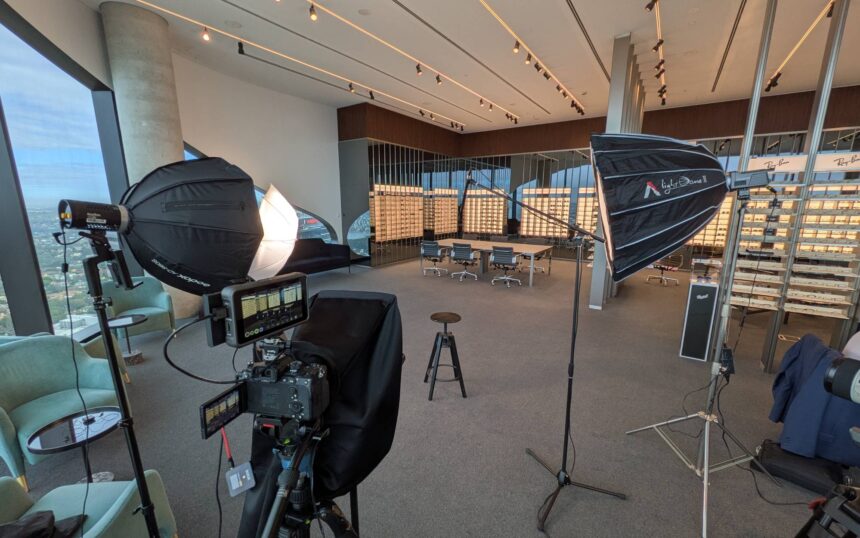
The fix is to frame with “safe zones”. The camera operator keeps the subject’s face and key actions in the centre third of the frame, leaving room on the sides. Many crews now shoot at 4K or higher, which gives the editor enough resolution to crop in for vertical versions without losing quality.
Some productions go a step further and run a second camera set up for vertical framing. It adds a little cost on the day but can save a lot of compromise in the edit, especially for talking-head interviews that will drive your LinkedIn content.
If you’re comparing quotes for corporate video production Sydney, ask each crew how they plan to frame for vertical formats and whether a second camera is included in the price.
Step 4: Write One Script With Modular Sections
Rather than writing separate scripts for each format, build one script made of self-contained blocks. Each block covers one idea and makes sense on its own. The intranet version might use all six blocks. The investor version might use blocks two, four and five. The LinkedIn clip might use just one strong line from block three.
This approach keeps your message consistent across audiences. It also makes approvals faster, because legal, communications and leadership teams only need to sign off on one master script. For listed companies, that matters. Anything shown to investors should line up with what’s been disclosed to the market, so keep your compliance team in the loop from the first draft.
Step 5: Plan Captions, Graphics and Branding Per Format
Captions are essential for LinkedIn and helpful for accessibility everywhere else. Budget for burned-in captions on social cuts and separate caption files (often called SRT files) for the intranet and website.
On-screen graphics need the same care. Text that looks fine on a big boardroom screen can be unreadable on a phone. Ask your editor to create simplified title cards and larger lower-thirds (the name and title captions that appear under a speaker) for mobile versions.
If your company operates across states, think about consistency too. A shared style guide covering colours, fonts and graphic templates keeps every video looking like it came from the same company, no matter which crew filmed it.
Step 6: Build the Delivery Schedule and File Naming System
The final step is often forgotten until the last minute. Agree on a delivery order, because not everything needs to land at once. Investor content may be locked to a results date, while LinkedIn cut-downs can roll out over the following weeks.
Set up a clear file naming system before the edit begins, for example “ProjectName_Platform_Ratio_Length_Version”. When you’re juggling 15 or 20 deliverables, this tiny habit stops the wrong file from going to the wrong channel.
Ask for a master file in high resolution as well. Months later, someone will want a new clip for a conference or a recruitment campaign, and having the original footage on hand saves another shoot.
Bringing It All Together
When multi-format planning is built in from day one, a single shoot day can feed your communications calendar for a full quarter. The key is to treat each platform as its own audience while keeping one consistent message underneath.
Angry Chair is one production team that works this way, planning shoots around every channel the footage will end up on. Whoever you work with, share your destination list in the first meeting. A good production partner will use it to suggest framing, schedules and cut-downs you may not have considered. Start with that list, and the rest of the project becomes far easier to manage.